Custom GPTs Are Retiring: Claude Opus 5.5 and More AI News
Sep 25, 2026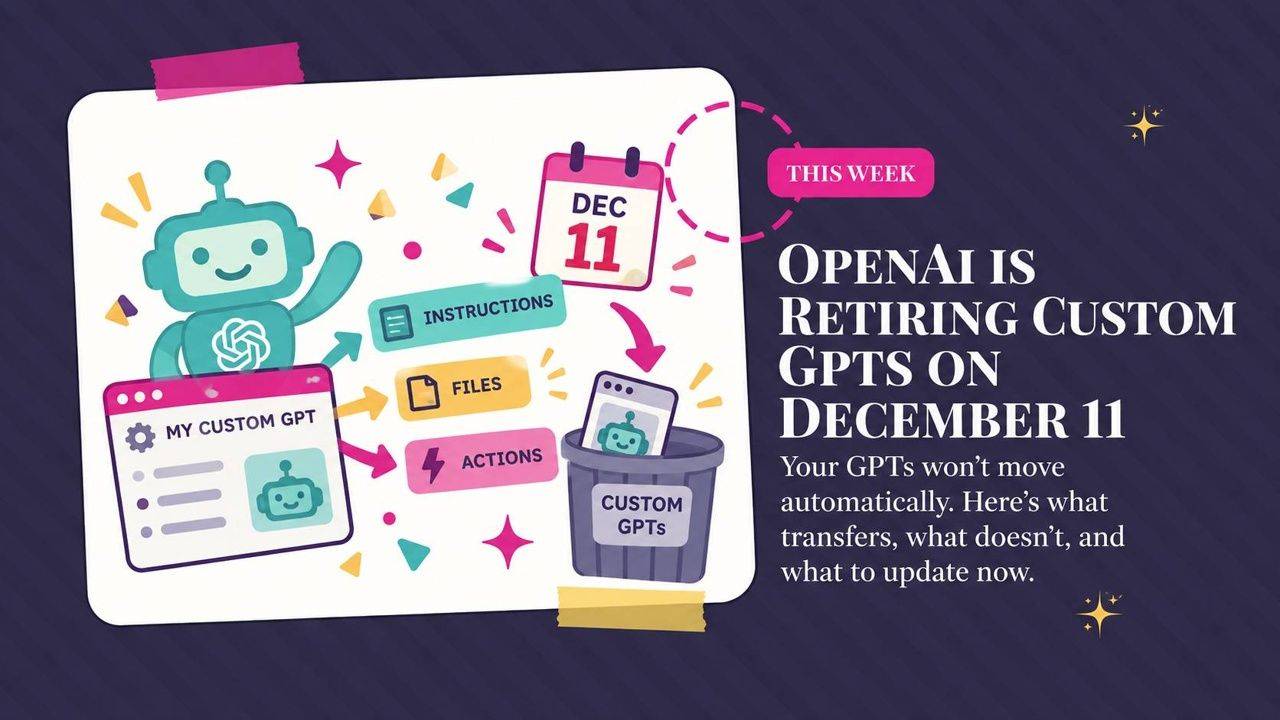
What custom GPT retirement means for your business, what's new in Claude Opus 5.5, and how cheaper GPT-6 models compare. This roundup also covers Meta Muse on Mac, ChatGPT on your phone, Gemini Notebook updates, and YouTube's new AI tools.
Weekly AI Highlights: September 19-25, 2026
What Small Business Owners Need to Know Right Now
Hey Reader,
I'm back in Cleveland. Slowly getting back into work mode and fighting some serious jet lag...
And I came back to big news. OpenAI is retiring custom GPTs on December 11. If you built one, or shared one with clients or students, you need to plan for this now.
Also this week: Anthropic released a new Claude model, and OpenAI added two cheaper GPT-6 models. Meta's AI agent Muse jumped to number one on the App Store. ChatGPT can now do real work on your phone just by talking to it. Gemini Notebook can quiz you and now works inside Google Docs. And YouTube announced a batch of AI tools for anyone who makes videos.
Let's go...
1. OpenAI Is Retiring Custom GPTs on December 11
OpenAI is shutting down custom GPTs. On December 11, they stop working and their pages disappear. This applies to every ChatGPT plan.
OpenAI wants you to move your GPTs to plugins. A plugin is the new way to save instructions in ChatGPT. Instead of opening a separate GPT, you pull it into any regular chat by typing @ and its name. ChatGPT can also use it on its own when your request matches what it does.
What moves over, and what doesn't
- Moves over: your instructions and your knowledge files.
- Doesn't move over: custom actions. A custom action is a connection you set up so your GPT could talk to another app. Those have to be rebuilt.
- Only the published version moves. Unpublished edits get left behind. Publishing does not mean making it public.
- The original locks. Once you move it, you can't edit or delete the old GPT. It keeps working until December 11.
- Old chats stay behind. Your past conversations don't move to the plugin.
If you shared a GPT with other people
This is the part to pay attention to. Moving your GPT does not bring your users with you. The new plugin starts out private. To make it public again, you have to go through a separate approval process with OpenAI. And anyone who wants to use it needs a ChatGPT account that has plugins.
So if your GPT link lives in a course, a freebie, a welcome email, or your link in bio, that link stops working on December 11.
The option to move your GPT is showing up at different times for different accounts. When you have it, go to My GPTs and click Migrate to plugin. OpenAI also says your account could get a different date, so watch for a notice inside ChatGPT.
Source Link:OpenAI custom GPT retirement and migration FAQ
2. Claude Opus 5.5 Is Here, and Your Usage Limits Went Up
Anthropic says Opus 5.5 performs about as well as Fable 5.1, its top model, on most work. And it costs 40% less to run than Opus 5.
What changed for you
- More room before you hit the wall. Claude caps how much you can use it in any five-hour stretch. Anthropic raised that cap on Pro, Max, Team, and seat-based Enterprise plans.
- A reset you can save. Paid plans also get one extra reset of your usage limit. You do not have to use it right away. Save it for the day you are deep in a project and run out.
- Clearer writing. Anthropic says Opus 5.5 puts the most important information first, uses less jargon, and follows the writing rules you give it.
- Faster answers. It writes its responses more than 30% faster than Opus 5.
One thing to know. The 40% price cut applies to people who pay per use, like developers and companies building on Claude. If you pay a flat monthly price for Claude, your bill stays the same. What you get is the higher limit and the saved reset.
Sonnet 5.5 and Haiku 5.5, the smaller and cheaper Claude models, arrive in the next few weeks.
Source Link:Anthropic Claude Opus 5.5 announcement
3. OpenAI Added Two Cheaper GPT-6 Models: Sol and Luna
OpenAI now has three GPT-6 models.
Astra is the most powerful and the most expensive. Sol and Luna are new. OpenAI trained them the same way it trained Astra, but made them faster and cheaper to run.
Think of it like this. Astra is for your hardest jobs. Sol is the everyday workhorse. Luna is the small, quick one for simple tasks.
What OpenAI says is better
- Fewer wrong facts. On OpenAI's own test, Sol makes about half as many factual mistakes as the model it replaces.
- Shorter, clearer answers. Less jargon, fewer odd phrases, less filler.
- Lower cost. OpenAI cut prices for both models in half. That cut is for developers who pay per use. If you pay a flat monthly price for ChatGPT, your bill stays the same.
Where you can use them
Sol and Luna are in ChatGPT Work and Codex for Plus, Pro, Business, Enterprise, and Edu plans. ChatGPT Work is OpenAI's agent inside ChatGPT, the part that finishes a whole multi-step job instead of just answering you. Codex is OpenAI's coding tool.
They are not in regular ChatGPT chat yet.
On the Free or Go plan, you can use Luna in the ChatGPT desktop app.
OpenAI is rolling them out slowly, so if you do not see them yet, check back later.
Source Link:OpenAI GPT-6 Sol and Luna announcement
4. Meta's AI Agent Muse Hit #1 on the App Store, and Now It Can Run Your Mac
Meta launched Muse, its AI agent, in early September. It's already at the top of the App Store.
An agent is AI that does tasks for you instead of just answering questions. You connect Muse to your apps, like email, calendar, and shopping, and it can send emails, book travel, fill out forms, and make purchases. You can use it at muse.ai, in the iPhone and Android apps, or inside WhatsApp.
This week at Connect, Meta's big yearly event, Meta showed what's coming next.
What's new
- It can run your Mac. Muse for Mac can operate apps on your computer and keep working after you walk away. Meta pitched this directly at small business owners.
- Its own email address. Coming soon. You'll be able to add Muse to an email thread, or forward it emails to handle for you.
- A face you can video chat with. Coming soon. You'll be able to talk to Muse face to face and hand it tasks live.
- On Meta's glasses. In the coming months, you'll be able to talk to Muse through Meta's AI glasses.
- More apps it can connect to. New connections include Shopify, PayPal, Best Buy, Walmart, Expedia, Notion, and Granola.
It's free. Zuckerberg says Muse will stay free for a lot of use. Meta plans to make money by taking a small fee when Muse buys something for you.
Source Link:TechCrunch report on Meta Muse updates
If you want to try another AI agent, Instinct is the one everyone's talking about right now. You text or call it like a person, and it goes and does the task for you. Muse is in the App Store, but Instinct is invite only
I have zero affiliation with them, but I wanted you all to be able to access it: Get my Instinct invite
This one I’ve been using for about the past 2 hours and honestly my mind is blown.
And then I asked for this:
Here’s the finished product. I need to adjust this avatar because the mouth looks really weird, but that would happen inside HeyGen. It’s amazing that Instinct was able to create this for me from just a simple text message request.
Watch the HeyGen video created with Instinct5. You Can Now Talk ChatGPT Through Real Work on Your Phone
OpenAI brought voice to the working side of the ChatGPT mobile app.
On a Plus or Pro plan, you can open the Work tab on your phone and tell ChatGPT out loud what you need. Create a document, draft an email, or summarize your Slack messages. The Work tab is the part of ChatGPT that finishes a whole job instead of just answering you.
On a Free or Go plan, you can use your voice with plugins and connected apps, meaning the outside tools you have linked to ChatGPT.
Two other changes
- You can switch between talking and typing in the same conversation.
- You can start something on your phone and pick it back up on your computer.
Source Link: TechCrunch report on ChatGPT mobile voice features
6. Gemini Notebook Can Now Quiz You, Talk Back, and Make One-Minute Videos
Gemini Notebook, the tool formerly called NotebookLM, is where you load your own sources, like PDFs, notes, and videos, and the AI answers only from those.
Google added new tools to help you learn from what you load in.
What's new
- Record right in the app. The Gemini Notebook mobile app has an audio recorder now. Record a lecture or your own thoughts, and the recording sits with your other sources.
- Talk to your notebook. Ask questions out loud in the mobile app, in nearly 100 languages. You can interrupt it anytime, and it answers from your sources.
- Better quizzes and flashcards. You can add or edit questions, and pick short answer, multiple choice, or fill in the blank. After you finish, ask your notebook which topics you should review again.
- Everything in one place. A new interactive learning overview, found under Reports, pulls your summary, quizzes, flashcards, and mind maps together.
- Sixty-second videos. Make a short video that explains a tricky idea with narration and simple animation, in more than 80 languages. You can share it with other people.
It works on personal Google accounts and every Google Workspace plan.
Google is rolling this out slowly, starting September 15. It could take more than two weeks to show up for you.
Use your notebook inside Google Docs
This one is available now. When you write in Google Docs, you can pull in a notebook you already built. You don't need to switch tabs or copy and paste.
Open the Gemini side panel in your doc, type @, and pick your notebook. Gemini writes from your sources and adds citations so you can check where each fact came from. It can also pull from your email, chats, and files at the same time.
You need a Google AI Pro or Ultra plan, or a Business Standard, Business Plus, Enterprise, or Education Plus plan. Workspace smart features also have to be turned on.
Source Link: Google Workspace learning tools update for Gemini Notebook
7. YouTube Is Adding AI Tools to Help You Plan, Edit, and Grow Your Channel
YouTube announced a batch of AI tools at its yearly “Made on YouTube” event. Some are coming soon and some won't arrive until next year.
In YouTube Studio
YouTube Studio is the app you use to manage your channel.
- Feedback before you publish. AI reviews your unpublished video and suggests fixes to pacing, structure, and storytelling.
- Titles and thumbnails. Studio can suggest titles and thumbnails based on what is in your video, matched to your style. A new dynamic thumbnail feature makes three options and shows each one to a different part of your audience.
- Smarter numbers. Analytics will explain why a video performed the way it did and how to make the next one more engaging.
- Ask Studio on your phone. The AI you can ask questions about your channel is coming to iPhone and Android.
Edit by describing what you want
Tell the AI what to do, like pick your best takes, cut the pauses, or add music, transitions, and text on screen. You can jump back into the regular editing timeline anytime. This arrives in YouTube Shorts and the YouTube Create app in early 2027.
Build your own feed
Describe the kind of videos you want to see, what to put first, and what to leave out. Gemini builds a feed that sits in its own tab on your YouTube home page. Your regular feed stays the same. This starts rolling out next month on web and mobile.
Source Link: YouTube announcement of new creator tools
PROMPT OF THE WEEK
Reverse Engineer a Video That Worked and Rebuild It With Gemini
You have watched a video that did enormous numbers and thought, I have no idea why that worked.
Ask Gemini. It can watch the video and tell you.
What it does: you upload a video that performed well. Gemini breaks down the hook, the pacing, and the psychology underneath it. Then it writes you a new script using that same structure, about your topic.
When to use it: when you know what you want to say but the video keeps landing flat.
What you get back: a breakdown of why the original worked, and a 30-second script you can film.
One thing to notice: you are borrowing the structure, not the content. The finished script is about your subject in your words. What you are taking is the shape.
Here are the steps:
- Find a video that did well on Instagram, TikTok, or YouTube. Look at saves and shares, not just views. Saves are the honest number.
- Download it.
- Upload it to Gemini and paste the prompt.
Break down three things for me:
1. The hook. What happens in the first three seconds, and why it stops someone from scrolling past.
2. The structure and pacing. What comes next, and roughly how long each beat lasts.
3. Why it works psychologically. What it makes the viewer feel or want.
Then write me a new 30-second script using that exact same structure, on this topic: [your topic].
Fast paced. Punchy. Written for Instagram Reels and TikTok. Give it to me as spoken lines with rough timings.
Source: superhuman.ai
Comments
If any of this made you think differently about how you want to work with AI, hit reply and let me know. I read every message. Your questions shape what I cover next.
Have a great weekend,
Founder, Front Row AI Club
PS. Was this newsletter forwarded to you? Sign up to get it in your inbox.
Whenever you’re ready, here are 3 ways I can help you:
1. Join the Front Row AI Club. I'll show you exactly how to turn AI into an indispensable part of your business without the head-banging learning curve.
2. Interested in 1:1 coaching or consulting? Book a session here.
3. Want me to speak to your group or give a training? It’s my favorite thing!
You can find my previous newsletter articles here: The Front Row AI Report
© 2026, Front Row AI Club. All rights reserved.