Claude Computer Use, GPT-6 Astra, and ChatGPT Work Updates
Sep 04, 2026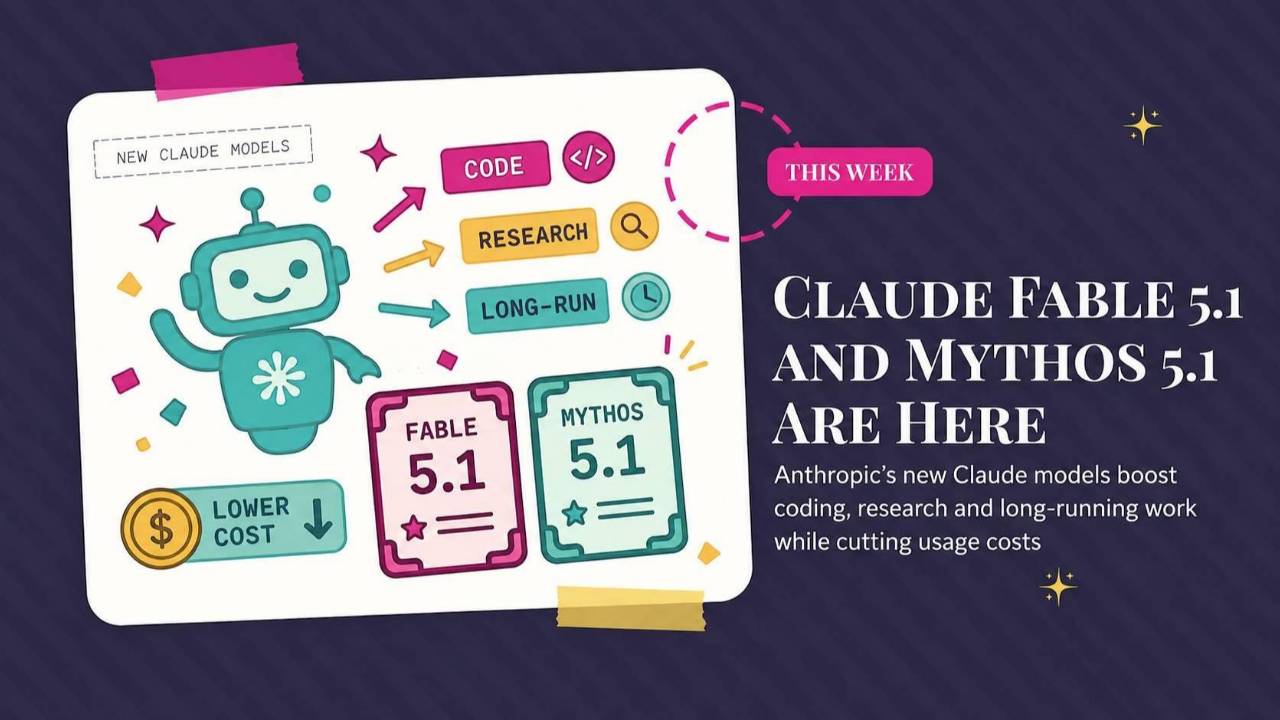
Claude gets a new model and computer-use tools, OpenAI introduces GPT-6 Astra, and ChatGPT Work learns reusable formats. This roundup also looks at Google Pics and Gemini Notebook usage limits, with practical notes on pricing, access, and what to try first.
Weekly AI Highlights: August 29 - September 4, 2026
What Small Business Owners Need to Know Right Now
Hey Reader,
Hello from Greece.
We came for a wedding, and I’m not sure I’ll ever go back home!
Meanwhile, while I’ve been playing in the Aegean Sea, AI developments have been at full throttle.
OpenAI and Anthropic both released their most powerful models. Claude can now use your actual computer, not just a browser. ChatGPT Work learned to save your formats so you stop rebuilding them. Google launched a real image tool. And Gemini Notebook changed how much you get to use it (spoiler, not happy about this one).
Six stories. That is more than I usually give you, but each is important.
Let’s do it…
1. Anthropic released a new top model, and a price cut that may not apply to you
Anthropic put out Claude Fable 5.1 this week, along with Claude Mythos 5.1.
Fable 5.1 is the everyday one. It is available right now on Claude.ai, so if you pay for Claude you can pick it from the model dropdown and start using it.
Mythos 5.1 is the exact same model with looser restrictions, and you almost certainly cannot get it. It goes to vetted cybersecurity and life sciences professionals, mostly at US organizations, through an application process.
What actually changed for you:
It is better at long jobs. Anthropic's own testing shows the biggest gains on work that runs a long time without you watching. Research. Multi-step coding. The kind of task you hand off and walk away from.
It stops less. Claude has safety filters that sometimes halt on requests that were never a problem. Anthropic tightened them. Basic biology and medical questions now get flagged 85% less often than when Fable 5 launched. In Claude Code, cybersecurity work triggers roughly 60% fewer interruptions per session.
Now the part I want you to read carefully.
Fable 5.1 costs about 25% less than Fable 5 for typical work, and up to about 45% less on heavy agent tasks. That savings is real, and it applies wherever you are billed by the token. That means developers and companies paying per use.
If you pay a flat monthly price for Claude Pro or Max, your bill does not change. Nothing gets cheaper for you. A lot of the coverage this week did not make that distinction.
One small thing worth knowing. Fable 5.1 has effort settings, and it does not default to the highest one everywhere. On Claude.ai and in Cowork it starts at Medium. In Claude Code it starts at High.
Source Link:Read more: 1. Anthropic released a new top model, and a price cut that may not apply to you
2. OpenAI released GPT-6 Astra, and called it the start of the AGI era
OpenAI released GPT-6 Astra on Thursday and called it the world’s most intelligent and aligned model.
In a briefing with reporters, OpenAI president Greg Brockman said he personally believes the company has reached AGI, artificial general intelligence, meaning AI that can handle roughly anything a person can. He closed with “welcome to the AGI era.”
Set that aside for a minute, because the thing OpenAI actually built the launch around is much more concrete.
Astra is a computer use model. It operates your machine the way a person does. Filling out online forms. Updating customer records in a CRM. Organizing your calendar. Doing research and dropping the summary straight into your email or your document. Installing software and troubleshooting what it sees on your screen.
OpenAI’s own testing has it finishing computer tasks in about 47% less time than its previous model, and scoring higher while doing it.
It follows your templates. OpenAI says Astra is its best model yet at matching an existing document, deck, or spreadsheet and producing something in your formatting and your writing style, without padding it with information the job did not need.
It handles vague instructions better. When your request leaves room for interpretation, Astra fills in the routine gaps on its own and asks only when the answer would actually change the result. It also stays on the original task when you change your mind halfway through, instead of treating your correction as a whole new assignment.
Now the practical part. Astra started rolling out Thursday to a limited group of organizations, and OpenAI says it reaches all ChatGPT Plus, Pro, Business, and Enterprise accounts over the coming days. It is included in what you already pay, with the option to buy credits if you want more.
Source Link:Source: 2. OpenAI released GPT-6 Astra, and called it the start of the AGI era
3. Claude can now use your actual computer
Let me start with what is actually new, because the headlines made this muddier than it needs to be.
Until this week, Claude could reach your work in exactly two ways.
Through a connector. A connector is a direct pipe between Claude and one specific tool. Gmail has one. Slack has one. Google Drive has one.
Through a browser. Any website, so long as it was a website.
That was the entire list. If your work lived in a program installed on your computer, with no connector and no web version, Claude simply could not get there. That was the wall.
The wall is gone. Claude can now click, type, and open apps on your screen, the same way you would.
Now the permission pop-ups, because that is the part that confused me too.
Those are a gate, not the job. Claude asks once before it touches an app. You say yes to your accounting software, and then Claude works inside your accounting software while you go do something else. You are not sitting there approving every click.
A few apps you cannot say yes to. Trading and cryptocurrency apps are blocked out of the box, and you can add your own to a blocklist.
Claude still takes the fastest road available. Connector first, because it is quickest and least likely to break. Browser next. Your actual screen last, only when nothing else can reach. Pulling Slack messages through a connection takes seconds. Clicking through Slack on screen takes much longer and goes wrong more often.
So the thing this unlocks is every program you use that nobody ever built an integration for. Your accounting software. An internal dashboard. Some specialized tool that has maybe four hundred customers worldwide.
And it keeps working while you step away. Your computer needs to stay awake with Claude Desktop open.
Here is what to understand before you switch this on.
There is no wall between Claude and your applications. It is on your desktop, seeing what you see. Claude takes screenshots of your screen to figure out where to click, which means it can read anything visible in any app you approve. Personal information. Client files. Whatever you left open.
Claude asks permission for each app before touching it. Trading and cryptocurrency apps are blocked out of the box, and you can build a blocklist of your own.
Anthropic is unusually plain about the limits here. Claude is trained to avoid moving money, deleting files, and handling sensitive data, and they say straight out those guardrails are not absolute. They recommend keeping it away from banking, healthcare, and government apps entirely.
Close your sensitive files before you start. Give it small jobs first, like research or organizing. Watch what it does.
It is on Pro and Max only. Team and Enterprise plans do not have it yet.
To turn it on: update Claude Desktop, then Settings → General → Computer use.
Source Link: Source: 3. Claude can now use your actual computer
4. ChatGPT Work can now learn your formats
ChatGPT Work is OpenAI's agent inside ChatGPT, the part that goes off and finishes a whole multi-step job instead of just answering you.
It can now save a format you use over and over.
Think about the document you rebuild every single time. The monthly client report. The project brief. The proposal that always has the same six sections. Every time you ask AI for one, you re-explain the structure, the headings, the tone, the order.
Now you explain it once.
You start with a file you already made and like. A Word document, an Excel workbook, a PowerPoint deck, or a link to a Google Doc, Sheet, or Slides file. ChatGPT studies how it is built and turns it into a template you can reuse.
To make one: in Work on the web or in Codex in the ChatGPT desktop app, type @Template-Creator. Attach your file. Then describe three things: what should stay the same every time, what should change, and what information you will hand it for each new one.
To use one: type @Documents, @Spreadsheets, or @Presentations to open your Templates gallery. Pick your template, describe the new file, and give it the source material.
A few limits. Templates you make are yours alone. Sharing one with your team means packaging it as a plugin and having an admin publish it. PowerPoint is not part of the desktop flow yet. And whether you have any of this depends on your plan and your workspace settings.
Source Link: Source: 4. ChatGPT Work can now learn your formats
My first thought was that this is Skills with a different name. Or a Custom GPT. Save it once, stop rebuilding it every time.
5. Google launched Google Pics
Google released a real image creation and editing tool called Google Pics, built on its Nano Banana image model.
The reason this is worth your attention is not that it makes images. Plenty of things make images. It is that you can change one part of an image without redoing the whole thing.
Pick one object and change just that. Google calls this object segmentation, which is a technical way of saying you can select a single item in your image and transform it while everything around it stays exactly as it was. You can leave notes on specific spots and run several edits at once.
Edit the words inside an image. You can change or translate text right in the picture without breaking the design or losing the font.
Get several versions from one prompt. Pics generates multiple options so you pick instead of re-rolling.
Work on the same image with someone else. You can share a creation and edit it together.
It also lives inside the tools you already use. Docs and Slides starting now, Drive in the coming weeks. You can find it on its own at pics.new.
The catch: this is for Google AI Pro and Ultra subscribers and most Workspace business customers, and it is rolling out over the coming weeks. Free Google accounts aren’t included in this rollout.
Source Link: Source: 5. Google launched Google Pics
Nano Banana was the OG. Then ChatGPT released its newest image model and that became my go-to.
5. Gemini Notebook is now counting how much you use it
Gemini Notebook, the tool formerly called NotebookLM, changed how usage limits work. This started rolling out to personal accounts on web and mobile on September 2.
Here is what is different.
Limits now reset every five hours instead of once a day. If you run out at ten in the morning, you are not locked out until tomorrow.
Your limit is no longer a simple count. It factors in how complicated your prompt is, how long the chat has gotten, how many sources you loaded, and which features you are using. Notebook shows you where you stand and offers you a cheaper output when the one you asked for would push you over.
You can push expensive work to later. If you hit the ceiling and you wanted a Video Overview or a Slide Deck, you can defer it. It generates on its own afterward and you can set a notification for when it is ready.
Source Link: Source: 5. Gemini Notebook is now counting how much you use it
I am not going to pretend I am happy about this one.
HAPPENING NEXT WEEK
Join the Front Row AI Club to catch this training:
- Watch a live Relevance Score run start to finish, so you see exactly how the scoring works
- The 5 signals AI weighs when deciding whether to name you or skip you
- Why being great at your craft isn’t enough to get found anymore
- 3 fixes you can make this week to start showing up in ChatGPT, Perplexity, and Google AI answers
- How to turn your score into a premium fee instead of a vanity number
- The one tagline mistake that makes AI swap you for the next expert
PROMPT OF THE WEEK
Every Prompt I Use for ChatGPT Inside Apple Messages
Every text you never answered is still sitting in your Messages app. So is the address someone sent you in March, and the price you quoted a client from your phone last spring.
ChatGPT can go find all of it.
There is a plugin that connects ChatGPT to Apple Messages. A plugin is just an add-on you install once that gives ChatGPT a new ability. This one lets it read and search your whole text history, and draft replies for you.
It took some figuring out, so I wrote the whole thing up. The setup click by click, the permissions it asks for and what they actually mean, and more than 20 prompts sorted by what you are trying to get done.
Here are five. Start with these.
One catch before you do. This only works on a Mac, and you have to be in ChatGPT Work or Codex mode, not a regular chat window.
Run this one first, before anything else:
Run that once at the start of your session. Everything after it comes out sounding like you.
Find everyone you left hanging:
Find what you promised and never delivered:
If you run any part of your business from your phone, half your commitments might live in text threads.
Ninety seconds of prep before a call:
This is the one worth building into your routine. A minute and a half of prep instead of scrolling back through six weeks of messages trying to remember where you left things.
Find the meetings that never got booked:
One safety note..never let it delete anything in the same breath as it finds it. Always ask to see the list first, then approve. Always ask to see the list first, then approve, so you don’t accidentally delete a real conversation.
Click here for the entire library of prompts you can use for ChatGPT and Apple Messages.
Source: mavgpt.ai
Comments
If any of this made you think differently about how you want to work with AI, hit reply and let me know. I read every message. Your questions shape what I cover next.
Have a great weekend,
Founder, Front Row AI Club
PS. Was this newsletter forwarded to you? Sign up to get it in your inbox.
Whenever you’re ready, here are 3 ways I can help you:
1. Join the Front Row AI Club. I'll show you exactly how to turn AI into an indispensable part of your business without the head-banging learning curve.
2. Interested in 1:1 coaching or consulting? Book a session here.
3. Want me to speak to your group or give a training? It’s my favorite thing!
You can find my previous newsletter articles here: The Front Row AI Report
© 2026, Front Row AI Club. All rights reserved.