Claude Sends Gmail, ChatGPT Handles Texts, and Gemini Watermarks
Aug 21, 2026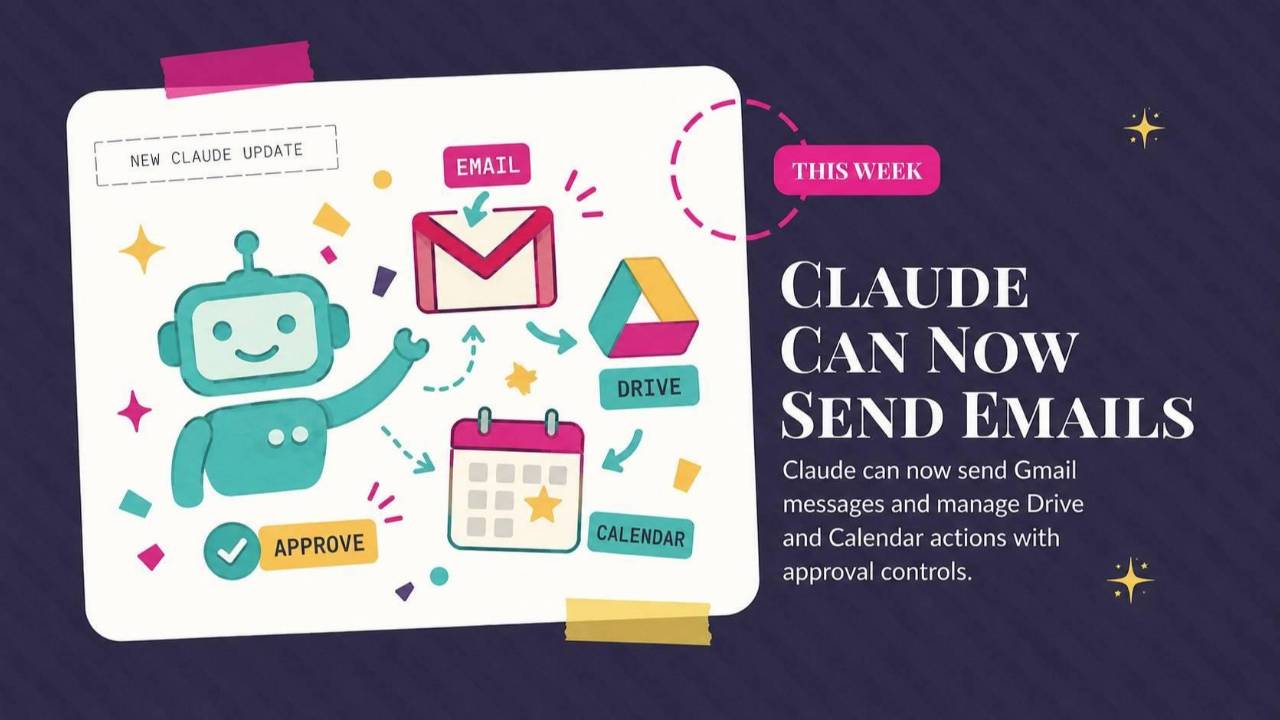
Claude can send messages through Gmail, ChatGPT can read and answer texts on Mac, and Gemini offers a way to hide visible AI watermarks. This roundup covers the business uses and privacy checks, plus a prompt for turning a YouTube video into a Claude skill.
Weekly AI Highlights: August 15-21, 2026
What Small Business Owners Need to Know Right Now
Hey Reader,
In this week’s deliberately non AI activity, I went on a mushroom hike.
No, I didn’t take mushrooms and then hike…
I hiked to see mushrooms.
Here’s a cool one:
Ever since watching the Netflix documentary, "Fantastic Fungi", I’ve been really captivated by the things.
I’m not exactly sure how to segue mushrooms into an AI conversation, so let’s just jump right in, shall we?
Claude can now send email out of your Gmail. ChatGPT can now answer your text messages. And Google added a switch that hides the AI watermark on what Gemini makes for you.
Let's get into it.
1. Claude Can Now Send Your Emails
That changed this week. Claude can now send, reply, and forward from your Gmail.
Drive and Calendar got the same treatment. Claude can share, move, and trash files, upload new ones, and create folders. On Calendar it can create, update, and delete events, and find a time that works across everyone invited.
Here is the setting that matters. By default, Claude stops and asks you before every one of these actions. You see the email before it goes.
On Team and Enterprise plans, the account owner decides whether people can let those actions run without asking each time. It is a choice someone has to make on purpose, not the default.
One more thing to know: Claude will not do draft replies on its own. You have to ask.
This is on all paid plans. Here is how to turn it on:
- Open Claude and click Settings.
- Choose Connectors, then Add connector.
- Pick Gmail, or Google Drive, or both.
- Sign in with your Google account and approve the permissions Google asks for.
That is it. Now when you ask Claude to handle something in your inbox, it can.
Source Link: Source: What Small Business Owners Need to Know Right Now
2. ChatGPT Can Now Read and Answer Your Texts on Mac
OpenAI released an Apple Messages plugin for the ChatGPT desktop app on Mac.
ChatGPT can read and search your Messages threads, catch you up on a conversation you fell behind on, and draft and send replies. It covers iMessage, SMS, and RCS, so it is your whole thread history, not just the blue bubbles.
You install it from Plugins, then Public.
OpenAI's own examples give you the idea:
- Check my calendar and reply to [name] with a few times I'm free for dinner next week
- Suggest follow ups from yesterday in messages
- Find birthdays in messages and add them to my calendar
- Find potential spam messages I can delete
Same as the Claude story above, ChatGPT asks for your approval before it sends anything. OpenAI goes further and tells you outright to be careful about granting persistent approval, and points to known issues with tasks that turn the approval prompt off.
Two limits. It only works on newer Macs, the ones with an Apple chip inside (M1 or later). Older Intel Macs are out. And you cannot text ChatGPT from your phone to get it to do something. It runs on your Mac, in the app, while you are sitting there.
One privacy note from OpenAI worth reading twice: sensitive information can stick around in shared thread snapshots. Look at what you are sharing before you share it.
This is on all ChatGPT plans in the Mac desktop app.
Source Link: Source: 2. ChatGPT Can Now Read and Answer Your Texts on Mac
3. Gemini Will Now Let You Hide the AI Watermark
Google added a setting called Media watermark. Turn it off and the visible watermark stops appearing on images, video, and music you make in Gemini going forward.
Here is the catch, and it is the important part.
The invisible SynthID watermark and the Content Credentials metadata stay embedded no matter what you choose. Those are the industry standard record of where a file came from. Turning off the visible stamp does not touch them.
You can still ask Gemini or Google Search whether an image was AI generated and get a straight answer.
A few limits. The setting only covers the Gemini apps on web and mobile, not AI features inside other Google products. Work and school accounts cannot change it. And in India, South Korea, and Vietnam you need an AI Ultra subscription to get the switch at all.
To find it: gemini.google.com, Settings > Media watermark.
Source Link: Source: 3. Gemini Will Now Let You Hide the AI Watermark
September Trainings in the Front Row AI Club
Something is happening every Tuesday at noon in September.
Three trainings. Three people who use this stuff in their own businesses every day.
Join the Front Row AI Club to catch these trainings:
- September 8 at 12 PM EST with Lou Bortone. Impossible to Ignore: How to Get Found and Recommended by AI Search
- September 15 at 12 PM EST with Fabi Paolini. The Connection Engine: How I Use AI to Turn Every Conversation Into a Referral (And the One Thing That Makes It Work)
- September 22 at 12 PM EST with Daniel Hill. Make Your Life Easier. Use YouTube's AI to Analyze and Create YouTube Content
Come live, ask your questions, and leave with something you can actually use.
JOIN US TODAYPROMPT OF THE WEEK
Turn Any YouTube Video Into a Claude Skill
Quick definition first, because this is newer than most people realize.
A Skill is a set of instructions you save inside Claude once. After that, Claude pulls it up on its own whenever your request matches it. You are not re-explaining the method every time. You built it once, and it stays.
Here is where that gets fun.
You know those YouTube videos where someone walks through their exact process? A pricing framework. A cold email structure. A way to build an offer. You watch it, you nod, you save it to a playlist, and you never use it again.
Turn it into a Skill instead. Now that method is sitting inside Claude, waiting for the next time you need it.
What it is for: taking a method you learned from someone smart and making Claude run it for you on demand.
When to use it: when a video teaches a real step-by-step process, not general opinions or news. The video needs an actual method or it has nothing to turn into a Skill.
What you get back: a SKILL.md file you upload to Claude once and use forever.
One thing to notice: the prompt tells Claude to activate the Skill only when your request matches that specific method. Without that line, the Skill fires on everything and gets in your way.
Here are the steps:
1) Pick a YouTube video with a clear, repeatable method or framework, and copy the transcript.
2) Open Claude and ask skill-creator to turn the transcript into a reusable Skill. Skill-creator is a Skill that builds other Skills, and it is already in your account.
3) Add the video title, creator, link, and transcript.
4) Ask Claude to extract the steps, the rules, the mistakes to avoid, and the ideal output format.
Video: [title]
Creator: [name]
Link: [YouTube URL]
Extract the video's core problem, step-by-step method, repeated rules, mistakes to avoid, and expected output format.
The Skill should activate only when my request matches this method, not for general advice or summaries.
Transcript: [paste transcript]
Ask me about anything important that's missing, then generate the SKILL.md and run an evaluation.
5) Test the Skill with relevant and unrelated prompts to make sure it triggers correctly.
6) Go to Settings, then Capabilities, then Skills, then Upload, and upload the SKILL.md.
Do this once with a video you already love and you will see why it clicked for me.
Source: superhuman.ai
Comments
If any of this made you think differently about how you want to work with AI, hit reply and let me know. I read every message. Your questions shape what I cover next.
Have a great weekend,
Founder, Front Row AI Club
PS. Was this newsletter forwarded to you? Sign up to get it in your inbox.
Whenever you’re ready, here are 3 ways I can help you:
1. Join the Front Row AI Club. I'll show you exactly how to turn AI into an indispensable part of your business without the head-banging learning curve.
2. Interested in 1:1 coaching or consulting? Book a session here.
3. Want me to speak to your group or give a training? It’s my favorite thing!
You can find my previous newsletter articles here: The Front Row AI Report
© 2026, Front Row AI Club. All rights reserved.