Claude Fable 5 Pricing, Gemini Notebook, and Google AI Mode
Jul 17, 2026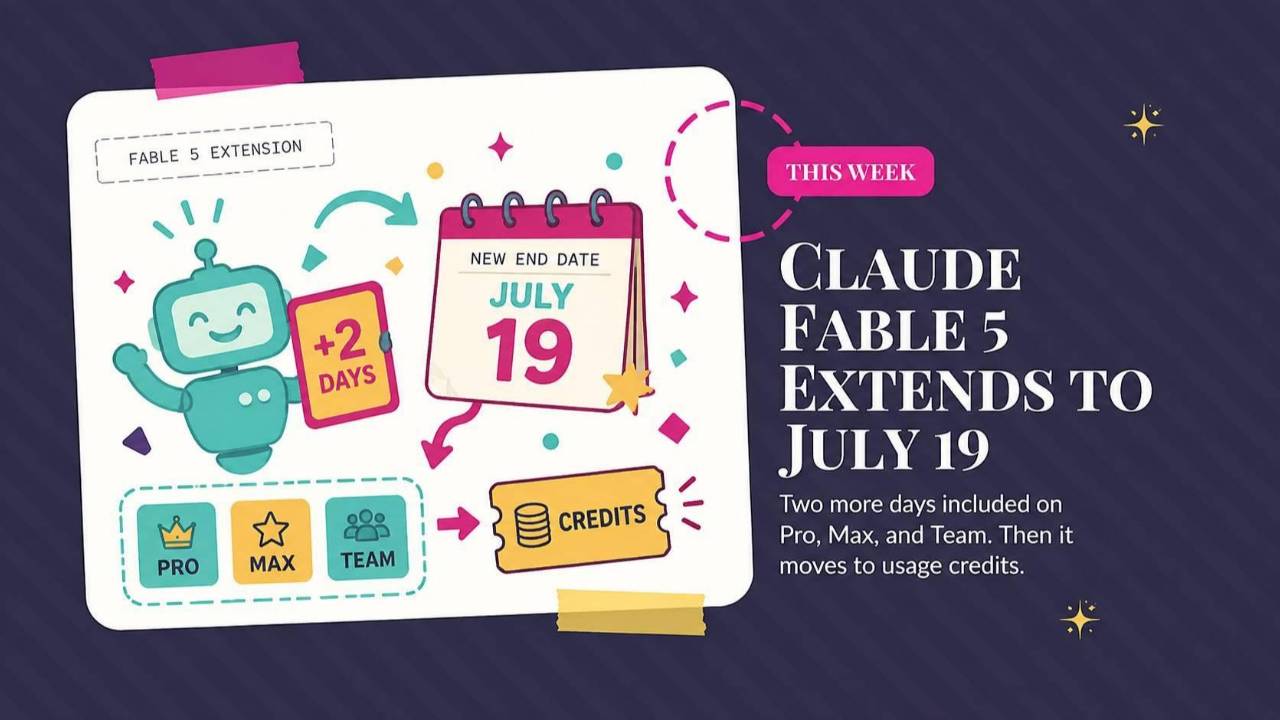
Claude Fable 5's free test window ends, NotebookLM becomes Gemini Notebook, and Google AI Mode connects to other apps. This roundup explains what changes for your business, with a ChatGPT Work prompt for finding unanswered follow-ups.
Weekly AI Highlights: July 11-17, 2026
What Small Business Owners Need to Know Right Now
This week’s deliberately AI-less activity was a trip to New York City with my youngest to look at colleges. We met up with her big brother who lives here in the city.
We also went to see The Great Gatsby on Broadway.
One thing I noticed, though, was that almost every subway car we rode in was sponsored by Genspark.ai. That’s a platform I really like and have been surprised that it hasn’t caught on with more people.
In AI news this week, the free Fable 5 window closes Sunday night, and I finally have real numbers on what it costs after that. NotebookLM has a new name and, more importantly, a computer of its own. And Google's AI Mode began working with other apps.
1. The Free Fable 5 Window Closes Sunday. Here Is What It Costs After That
Anthropic pushed the Fable 5 promotion back one more time, to Sunday, July 19 at 11:59 PM Pacific. If you are on Pro, Max, Team, or a premium Enterprise seat, you can still spend up to half your weekly usage limit on Fable 5 at no extra cost. Fable 5 is not included on the free plan.
The part I have not covered yet is what happens Monday.
Fable 5 does not disappear. It moves to usage credits, which is metered billing on top of your subscription. You pay per token. A token is a chunk of text, roughly three quarters of a word. You pay separately for what goes in (your prompt, your context, your documents) and what comes out (the model's response).
- Input tokens: $10 per million
- Output tokens: $50 per million
Those numbers sound abstract, so here is what they look like on real work:
Agentic means the AI is off doing a multi-step job on its own instead of answering one question. Those are the runs that stack up, because the AI keeps feeding its own work back into itself.
One more thing worth knowing while the window is still open: Fable 5 burns through your weekly limit faster than the other models, so the same task costs you more of your allowance.
Source Link: Source: 1. The Free Fable 5 Window Closes Sunday. Here Is What It Costs After That
2. Google Renames NotebookLM to Gemini Notebook and Gives It a Computer
Google renamed NotebookLM to Gemini Notebook.
If you have never used it, NotebookLM is a research tool where you upload your own documents and then ask questions about them. It answers from your files and links only, not from the whole internet, which is why it makes things up far less often than a regular chatbot. It has grown to more than 30 million individual users and 600,000 organizations.
The name is the smallest part of this. Every notebook now gets a secure cloud computer. In plain terms, that is a private, walled-off machine in Google's data center that the AI can use to write and run its own code. The difference matters more than it sounds. Until now, the tool could read your spreadsheet and tell you what it said. Now it can actually run the numbers, build the chart, and hand back a real analysis, still grounded in the files you gave it.
Access is staged. It is live today for Google AI Ultra subscribers and Workspace business customers with AI Ultra Access or AI Expanded Access. Google says it reaches AI Pro subscribers on the web in the coming weeks. The tool itself stays free, but the cloud computer is a paid feature.
Two more changes. Your notebooks now sync with the Gemini app, so you can pull them up in either place. And Google says notebooks are coming to AI Mode in Search, which would let your own research sit inside your searches. No date on that one.
Source Link: Source: 2. Google Renames NotebookLM to Gemini Notebook and Gives It a Computer
3. Google AI Mode Can Now Work With Other Apps
Google announced Thursday that you can now connect apps to AI Mode and act inside them without leaving your search.
AI Mode is Google's conversational search, the version where you ask a real question and get a real answer back instead of a page of blue links.
At launch it connects with Instacart, Canva, and YouTube. Google's own examples: plan a barbecue and send the ingredients to your Instacart cart, ask Canva for flyer templates while you are working out an idea, or build a playlist and save it to YouTube Music.
It is rolling out in the United States. Google says more app partners are coming.
Source Link: Source: 3. Google AI Mode Can Now Work With Other Apps
PROMPT OF THE WEEK
The Follow-Up Sweep: Your First Real Job for ChatGPT Work
ChatGPT Work is brand new, so start here. Work is OpenAI's agent inside ChatGPT. An agent is an AI that goes off and does a multi-step job on its own instead of answering one question at a time. Work can read across the apps you connect to it, stay on a project for hours, and hand you a finished spreadsheet or document at the end. It is rolling out across paid ChatGPT plans on web, mobile, and desktop.
Most people will open it and ask it something small, which wastes it. Give it this instead.
What it is for: finding the money already sitting in your inbox. Every business has people who asked about buying something and then went quiet, usually because nobody circled back. This hands you a list of them and the emails to send.
When to use it: any week you want revenue without new leads. A slow Friday afternoon is perfect.
What you get back: a spreadsheet of every open opportunity from the last 90 days, sorted by priority, plus ten ready-to-send follow-up emails written from the actual threads.
Before you paste it: connect your email and calendar in ChatGPT's app connections. Work can only see what you connect it to.
You are helping me recover revenue I may have missed.
Goal: find every person who contacted my business in the last 90 days about buying something and never got a real answer from me, then give me a finished follow-up kit.
Do this:
1. Search my connected email and calendar for the last 90 days. Look for inquiries: pricing questions, discovery calls, proposals I sent, "let me think about it," anyone who asked about working with me.
2. For each one, check whether the conversation ever got a real answer. If the thread went quiet after my reply, or if I never replied at all, it counts as open.
3. Build me a spreadsheet with these columns: Name, Company, What they asked for, Date of last contact, Days since, What happened, Estimated value if they buy, Priority (High / Medium / Low).
4. Sort by priority. High is anyone who asked about price or received a proposal.
5. For the top 10, write one short follow-up email each, in my voice, based on what we actually talked about in the thread. Reference the specific thing. No "just checking in." Under 100 words. One clear next step in each.
6. Put the emails in a doc, one per person, labeled with their name.
Ask me anything you need before you start.
One tip that matters: step 5 is where it lives or dies. If the emails come back generic, paste in two real emails you have written and say "match this voice." Then run step 5 again.
Comments
If any of this made you think differently about how you want to work with AI, hit reply and let me know. I read every message. Your questions shape what I cover next.
Have a great weekend,
Founder, Front Row AI Club
PS. Was this newsletter forwarded to you? Sign up to get it in your inbox.
Whenever you’re ready, here are 3 ways I can help you:
1. Join the Front Row AI Club. I'll show you exactly how to turn AI into an indispensable part of your business without the head-banging learning curve.
2. Interested in 1:1 coaching or consulting? Book a session here.
3. Want me to speak to your group or give a training? It’s my favorite thing!
You can find my previous newsletter articles here: The Front Row AI Report
© 2026, Front Row AI Club. All rights reserved.