Gemini Drive Cleanup, NotebookLM Sync, and Workspace Automation
Jun 05, 2026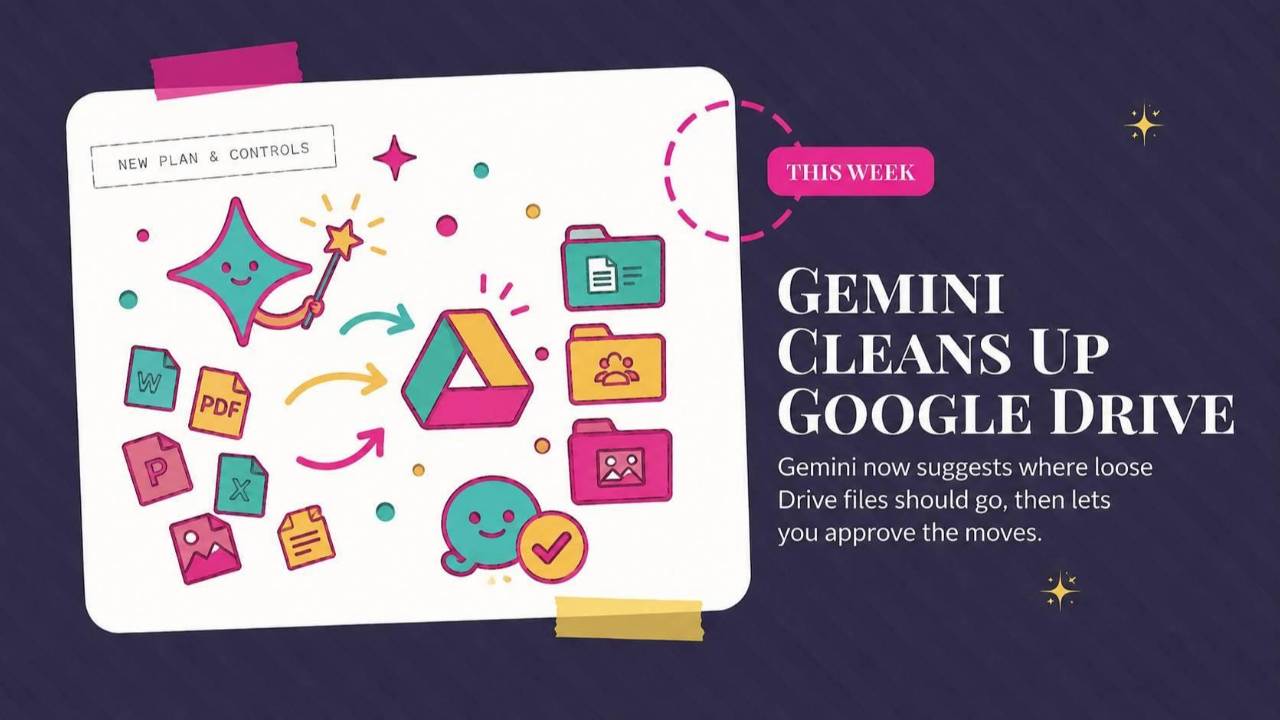
Gemini helps organize Google Drive, NotebookLM keeps up with changing files, and Workspace Studio repeats steps across a list. This roundup also covers Facebook's creator assistant, plus a prompt for turning a photo into a sketchbook character page.
Weekly AI Highlights: May 30 - June 5, 2026
What Small Business Owners Need to Know Right Now
Reader,
I had the most fun this last night talking about AI at Kiln, a popular local restaurant, for their “Restaurants in the Age of AI” event. We got into where AI and hospitality actually meet, and what is coming next for both. The room was a real mix; business owners and curious folks from all kinds of fields, not just the restaurant world.
Technically the event was promoted as a “salon”, so it was very much a discussion, not a traditional presentation. I loved it.
Nothing groundbreaking landed in AI this week, but a few useful feature updates did, the kind that quietly save you lots of time. Gemini will clean up your messy Drive for you. NotebookLM keeps itself in sync with your Drive files now. Google Workspace Studio can now run the same step across an entire list. And Facebook added an AI assistant that tells you when to post and what your audience is responding to. Here is what each one means for you.
1. Gemini Will Now Organize Your Messy Google Drive For You
Gemini is the AI assistant built into your Google apps. This week it got the ability to clean up Drive.
When you open Drive on a computer, you will see a new button called "Suggest File Moves." Click it, and Gemini looks at how you already organize your folders, plus what is actually inside your loose files, and suggests where each one should go. It splits the suggestions into two simple piles: files that belong in folders you already have, and new folders it proposes creating for files that go together. You review everything, tweak what you want, and approve it in one batch. Nothing moves until you say so.
One note on access. It is web only and English only for now, and it is rolling out to Google Workspace plans and Google AI plans.
Source Link: Source: 1. Gemini Will Now Organize Your Messy Google Drive For You
2. NotebookLM Now Updates Itself When Your Drive Files Change
NotebookLM is Google's research tool. You add your own documents as sources, and it reads them and answers your questions based only on what you gave it.
Here is what changed. Before, when you added a Google Doc, Sheet, or Slides file as a source and later edited the original, the change did not show up on its own. You had to open that source inside NotebookLM and click a sync button to pull in the latest version. Now it updates on its own, every few minutes, so the notebook always reflects the current file. It also follows your permissions. If your access to a file gets revoked, you can no longer use it as a source, and if a file is deleted from Drive, it drops out of the notebook too.
Source Link: Source: 2. NotebookLM Now Updates Itself When Your Drive Files Change
3. Google Workspace Studio Can Now Repeat a Step for Every Item on a List
First, a plain definition. Workspace Studio is Google's automation builder. It lets you string together steps inside your Google apps, the "when this happens, do that" kind of thing, without writing any code.
The new piece is a step called "Repeat for each." It takes a list and runs the same set of actions on every item in it, one at a time. The list can be something the AI generates, or it can be every row in a Google Sheet, read top to bottom.
That unlocks the work you used to do by hand, over and over. Draft a personalized email for every lead in a sheet. Create a task for every action item from your meeting notes. Run the same AI judgment, like sorting or summarizing, across a stack of form submissions. Before this, a flow could only handle one item at a time, so this is the difference between a single task and a whole batch done for you.
Source Link: Source: 3. Google Workspace Studio Can Now Repeat a Step for Every Item on a List
4. Facebook Built an AI Assistant That Tells You When to Post and What Your Audience Wants
Meta added a new AI assistant inside Facebook for creators and people running a page.
Instead of digging through charts and dashboards to figure out how your content is doing, you ask the assistant plain questions and it answers based on your own account. Things like "When should I post?" or "What are people saying in my comments?" It is conversational, so you can keep asking follow-ups and go deeper, like how your audience has shifted over the past few months.
It also helps you come up with content. It looks at what is trending and suggests ideas, like a trending sound to use or a cultural moment worth posting around. For now it is rolling out to the U.S., Canada, and India, with more countries to come.
Source Link: Source: 4. Facebook Built an AI Assistant That Tells You When to Post and What Your Audience Wants
PROMPT OF THE WEEK
Turn One Photo of Yourself Into a Hand-Drawn "Sketchbook" Character Page
Use this when you want a fun, personality-packed image of yourself for your About page, a social avatar, a team page, a course welcome, or a newsletter header. It is also just a delightful thing to make.
Here is what it does. You give an image-capable AI (ChatGPT or Gemini both work) one clear photo of yourself, and it draws a single page that looks like an illustrator's messy sketchbook of you. Full-body poses, face close-ups, little doodles, and chibi versions (chibi means a cute, exaggerated cartoon style with a big head and tiny body). It pulls in your personality, habits, and quirks so the page feels like you, not a generic stock cartoon.
What you get back is one image, loose and playful, that looks hand-drawn and stacked rather than neatly arranged.
How to run it: start a chat with ChatGPT or Gemini, upload a clear photo of your face and ideally a full-body shot, then paste the prompt below.
Please draw the person in the image I just uploaded in a free, stripped-down sketch style. On a bright white background, freely distribute full-body drawings, face close-ups, small scribbles, full-body sketches, and chibi (cute, deformed cartoon) versions, so that the page conveys the person's humor and personality. Don't make it look like an organized character sheet. Make it look like a sketchbook full of information drawn at will by an illustrator and then stacked. Use everything you know about me from our conversations, including my personality, habits, strengths, quirks, profession, and overall vibe, to imagine how an illustrator would interpret me as a character.
Comments
If any of this made you think differently about how you want to work with AI, hit reply and let me know. I read every message. Your questions shape what I cover next.
Have a great weekend,
Founder, Front Row AI Club
PS. Was this newsletter forwarded to you? Sign up to get it in your inbox.
Whenever you’re ready, here are 3 ways I can help you:
1. Join the Front Row AI Club. I'll show you exactly how to turn AI into an indispensable part of your business without the head-banging learning curve.
2. Interested in 1:1 coaching or consulting? Book a session here.
3. Want me to speak to your group or give a training? It’s my favorite thing!
You can find my previous newsletter articles here: The Front Row AI Report
© 2026, Front Row AI Club. All rights reserved.