Claude for Small Business, Gemini Spark, and NotebookLM Workflows
May 15, 2026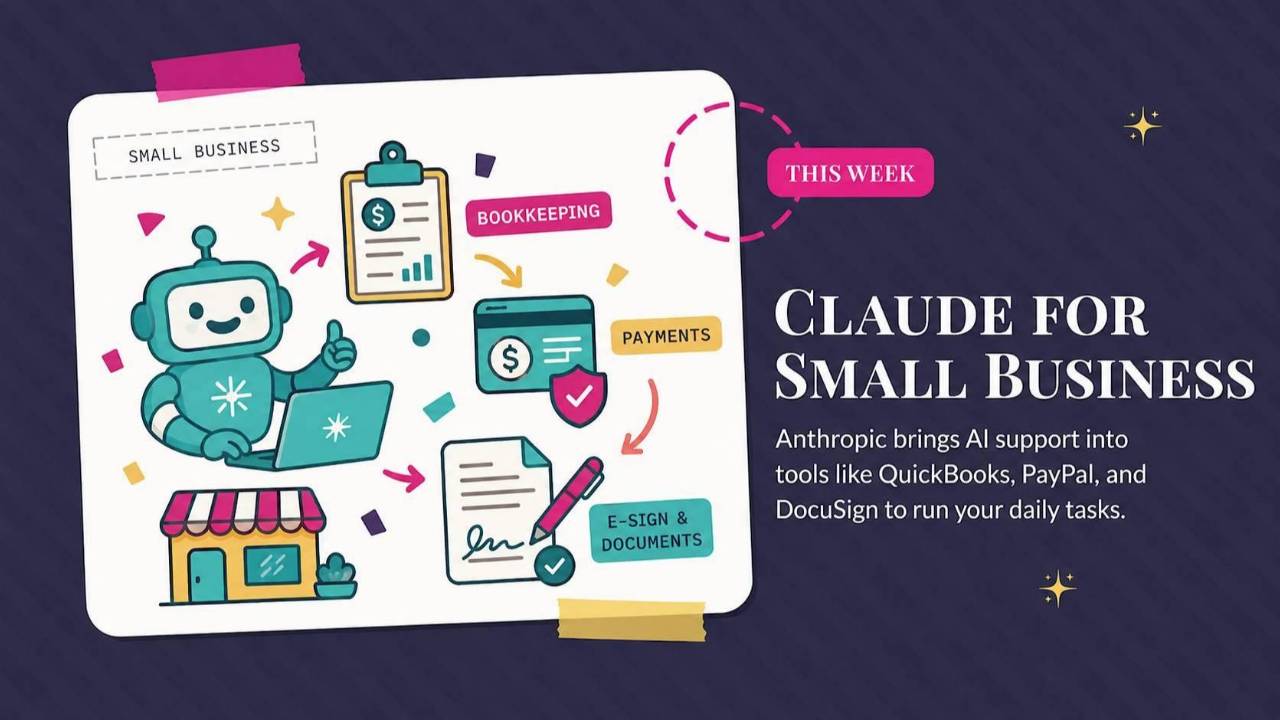
Claude adds a small-business edition with business-app connections, Google prepares Gemini Spark, and NotebookLM arrives inside Workspace Studio. This roundup explains how the tools could fit your work, plus a prompt for starting proposals and pitches.
Weekly AI Highlights: May 9-15, 2026
What Small Business Owners Need to Know Right Now
Reader,
Hope your week is wrapping up the way you wanted it to. I’m still flying high from Mother’s Day and this weekend I’ll be attending a weekend “Hen Party” (bachelorette getaway) with my club. Should be a good one.
It was also a big week in AI. Claude rolled out a small business edition that plugs directly into QuickBooks and PayPal. Google is prepping Spark, an always-on AI assistant. And NotebookLM just landed inside Google Workspace.
1. Claude Just Built Itself a Small Business Edition
Anthropic released a small business edition of Claude this week. It comes with 15 pre-built workflows (think automations like "send the invoice when the project closes," "process a payroll run," or "kick off a campaign sequence") and 15 skills (specialized capabilities Claude can use on demand, like reading a PDF contract, drafting a campaign email, or pulling a sales report).
The bigger news is what it connects to. Claude can now talk to QuickBooks for your bookkeeping, PayPal for payments, and DocuSign for contracts. Which means Claude is no longer just answering questions in a chat window. It can pull data from those tools, take action inside them, and run multi-step jobs like reconciling invoices or scheduling a payroll run.
Source Link: Source: 1. Claude Just Built Itself a Small Business Edition
ACTION STEP:
Go to claude.com/solutions/small-business and scan the list of 15 workflows. Find the one that maps to a task you already do every week (payroll, invoicing, campaign emails, contract sending). If you use QuickBooks, PayPal, or DocuSign, connect that tool inside Claude and run the workflow once on a real task. Ten minutes is all you need to know if it actually saves you time.
2. Google Is Prepping Gemini Spark, a 24/7 AI Assistant That Learns Your Habits
Google is getting ready to launch something called Gemini Spark, an always-on AI assistant that lives across your Google apps. The pitch is that Spark watches what you do (your inbox, your calendar, your connected apps) and over time it learns your habits well enough to predict what you need and take action on your behalf. Think personal assistant that gets a little smarter every week you use it.
Spark is expected to roll out around Google I/O, which is Google's big annual product event happening this month.
Source Link: Source: 2. Google Is Prepping Gemini Spark, a 24/7 AI Assistant That Learns Your Habits
3. NotebookLM Lands Inside Google Workspace Studio
Two quick definitions before the news. NotebookLM is Google's research tool. You upload your documents (PDFs, web pages, your own notes) and it reads everything, finds the connections, and answers your questions based on what you uploaded. Workspace Studio is Google's automation builder, where you string together steps in your Google apps like "when this happens, do that."
This week, those two started talking to each other. You can now take a NotebookLM analysis and drop it into an automated workflow. Feed in a stack of research and have it spit out a one-page summary that lands in your team's shared Drive folder. Pull your meeting notes from the week and auto-generate an internal doc. Train new hires from a folder of materials without writing the training yourself.
Source Link: Source: 3. NotebookLM Lands Inside Google Workspace Studio
ACTION STEP:
If you already have a notebook in NotebookLM with your product info, brand voice notes, and a few of your best past customer replies, this is a great use case for form submissions. Open Workspace Studio, set the trigger to "when a Google Forms response comes in", add an "Ask NotebookLM" step, and set the prompt to: "Draft a friendly reply to this inquiry using only the product info, brand voice, and past replies in this notebook. The inquiry is below." Have the draft emailed back to you. Now every new inquiry comes pre-drafted in your voice, ready to review and send.
PROMPT OF THE WEEK
Blank Page to First Draft (For Proposals and Pitches)
Use this when you're writing a proposal, a pitch deck narrative, or any new business document and you're staring at a near-empty page.
Most people open a chat and ask Claude to write the proposal in one shot. The output is generic because Claude doesn't know enough about what you're pitching, who you're pitching to, or what makes your offer different. This three-step workflow flips that. You force yourself to surface what you actually know first, then build the structure, then write the draft. The result sounds like you and lands the way you want it to.
You'll do all three steps inside the same Claude chat.
Step 1: Have Claude build your strategic brief.
Paste this in:
I need to write a [proposal / pitch / deck narrative] for [what you're pitching to whom].
Before you write anything, ask me the 5 questions whose answers would most change what you write.
Don't write the document yet. Just the questions.
Answer Claude's questions in the chat. This is the part most people skip, and it's the most important step in the whole workflow.
Step 2: Have Claude build the structure.
Based on my answers, give me a proposed structure for this document.
For each section: one sentence on what it should accomplish (not what it should contain).
Flag the section where you think my brief is weakest, where I haven't given you enough to make it land.
This tells you where your thinking is thin before you write anything.
Step 3: Have Claude write the document.
Now write the full document using the structure we agreed on and the information I've given you.
Where I haven't given you enough information for a section, write it in [BRACKETS] so I can fill it in.
Don't pad. Don't add a generic executive summary if I haven't asked for one. Write it to be read, not to look complete.
What you'll get back is not a polished final draft. It's the right draft. Tight, structured, honest about its gaps, and shaped by the actual information you brought to the chat.
Source: practicaly.ai
Kajabi's Biggest Launch Week Is Almost Here (And I Get You Early Access)
My entire business runs on Kajabi, and has for years. For more than a decade, Kajabi has gone from the cleanest way to sell a course online to the all-in-one home for an expertise business. Between May 18 and June 2, FIVE brand new products are launching in a single 16-day window:
- May 19, Cofounder: an AI business partner that already knows your offers and writes your launch plan
- May 21, Backstage: a private portal for every one-to-one client (the end of duct-taped client delivery)
- May 26, Amplify: a peer-to-peer ad network so the broadcasts you are already writing make money between launches
- May 28, MCP: a new way to plug Kajabi into AI tools like Claude or ChatGPT so you can run your business by chatting with your AI instead of clicking through menus
- June 1, Expert Agents: AI that sells, teaches, and supports 24/7 in your voice
More Kajabi than ever, all under one subscription. To mark the moment, every plan is 50% off for a full year. Hard close on June 2. No comparable offer coming back this year.
I am a Kajabi affiliate, which means I get early access on May 18, a day before this opens to the general public. If you want me to send you a heads-up the moment my affiliate window opens on Monday, just hit reply to this email with the word "Kajabi" and I will add you to the list.
I'm Speaking at the Built to Scale Summit Next Week
Two days. Fifteen speakers. All live. All free.
I am speaking at Teresa Heath-Wareing's Built to Scale Summit on May 20 and 21, 2026. My session is on what AI actually looks like inside a real business right now. The tools. The workflows. The brand voice trick. The voice-memo-to-everything stack I use almost every day.
Teresa brought together fifteen online business owners who are actually scaling in 2026 to share what is working right now. Not theory. Not recycled advice from 2019. The real stuff.
Starts 11am UK time on both days.
GRAB YOUR FREE TICKET HEREComments
If any of this made you think differently about how you want to work with AI, hit reply and let me know. I read every message. Your questions shape what I cover next.
Have a great weekend,
Founder, Front Row AI Club
PS. Was this newsletter forwarded to you? Sign up to get it in your inbox.
Whenever you’re ready, here are 3 ways I can help you:
1. Join the Front Row AI Club. I'll show you exactly how to turn AI into an indispensable part of your business without the head-banging learning curve.
2. Interested in 1:1 coaching or consulting? Book a session here.
3. Want me to speak to your group or give a training? It’s my favorite thing!
You can find my previous newsletter articles here: The Front Row AI Report
© 2026, Front Row AI Club. All rights reserved.