Gemini Workspace Updates, Claude Marketplace, and Zoom AI
Mar 12, 2026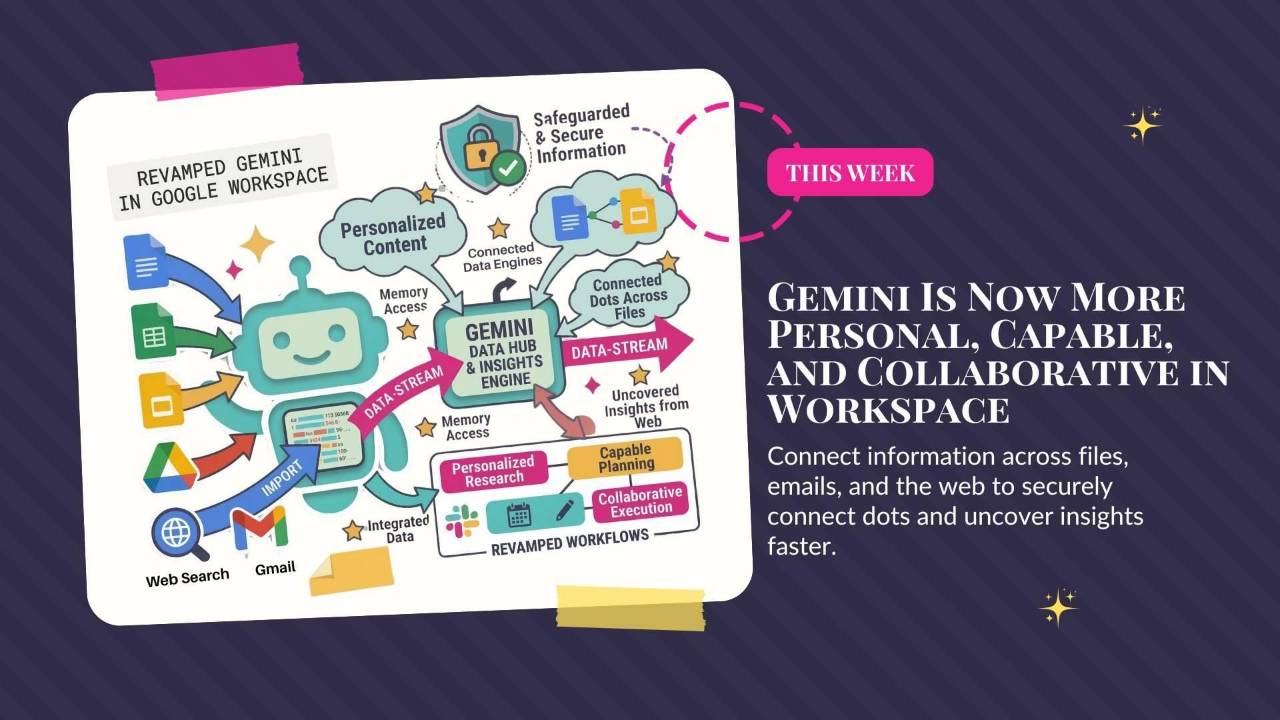
Google updates Gemini across Docs, Sheets, Slides, and Drive, Anthropic launches Claude Marketplace, and Zoom introduces AI office tools and avatars. This roundup explains how the platforms are competing to handle more of your everyday work.
Weekly AI Highlights: March 7 - March 13, 2026
What Small Business Owners Need to Know Right Now
Reader,
This week felt less like product updates and more like a land grab. Google revamped Gemini across Docs, Sheets, Slides, and Drive. Zoom announced an entire AI office suite and those AI avatars we've been hearing about. And Anthropic launched a marketplace for Claude-powered business tools.
Every major platform is racing to become the place where your work gets done. Not just stored. Not just searched. Actually done.
Here's what you need to know.
1. Google Revamps Gemini Across Docs, Sheets, Slides, and Drive
Big Gemini upgrade across all of Google Workspace.
In Docs, there's a new "Help me create" bar at the bottom of the screen. Tell it what you need, and Gemini pulls from your Gmail, Drive, and Chat to build a formatted first draft. You can also highlight a section and ask it to rewrite just that part without regenerating the whole thing. New "Match writing style" and "Match doc format" tools let you unify tone across a messy doc or copy the structure of a template you like.
In Sheets, Gemini can now build an entire spreadsheet from a single prompt. There's also a "Fill with Gemini" feature that auto-populates tables with real-time data from Google Search. In Slides, it generates individual slides that match your deck's theme. And Drive now has AI-powered search that actually answers your questions instead of returning a list of files.
Rolling out now in beta for Google AI Pro and Ultra subscribers.
Source Link: Source: 1. Google Revamps Gemini Across Docs, Sheets, Slides, and Drive
ACTION STEP (DO THIS WEEK)
Open a Google Doc and look for the new prompt bar at the bottom of the screen. Try this: "Create a [project summary / client recap / content outline] using [name of a file in your Drive]." Start with something small. You'll immediately see how much faster it is when Gemini already has access to your stuff.
2. Anthropic Launches Claude Marketplace
Anthropic launched the Claude Marketplace, a store where enterprise customers can browse and buy third-party tools built on Claude. Think of it like an app store for AI-powered business software.
The launch lineup includes Snowflake (data), GitLab (software development), Harvey (legal), Replit and Lovable (app building), and Rogo (finance). Enterprises with existing Anthropic spending commitments can redirect part of that budget toward these partner tools. Anthropic isn't taking a commission on purchases.
Source Link: Source: 2. Anthropic Launches Claude Marketplace
3. Zoom Launches an AI-Powered Office Suite and AI Avatars
Zoom is no longer just a video call app.
They announced AI Docs, AI Slides, and AI Sheets, all built to generate documents, presentations, and spreadsheets directly from your meeting transcripts. Planning call becomes a roadmap doc. Client review becomes a slide deck. A preview is expected this spring.
They also confirmed that AI avatars are arriving this month. These are photorealistic digital versions of you that mimic your appearance, expressions, and lip movements when you're not camera-ready. They work in live meetings and asynchronous video messages.
Source Link: Source: 3. Zoom Launches an AI-Powered Office Suite and AI Avatars
PROMPT OF THE WEEK
TELL AI WHAT "DONE" LOOKS LIKE
With GPT-5.4 out, OpenAI dropped a prompt guide to help you get the most out of it. Most of it is for developers, but buried inside is one tip anyone can use immediately.
The #1 reason AI gives you rambling, incomplete, or weirdly truncated answers is because you never told it what "done" looks like. Models stop when stopping seems right, not when the task is actually finished. It's like asking a contractor to "fix the kitchen" without telling them what finished looks like.
The fix takes five seconds. Add one line to the end of any prompt:
A few examples of what that looks like:
You are done when you've listed 5 next steps, each with an owner and a deadline.
You are done when the email is under 150 words and ends with a clear ask.
Try it on your next prompt. You'll notice the difference immediately. This works in ChatGPT, Claude, Gemini, all of them.
Source: OpenAI Prompt Guidance for GPT-5.4
Comments
If any of this made you think differently about how you want to work with AI, hit reply and let me know. I read every message. Your questions shape what I cover next.
Have a great weekend,
Founder, Front Row AI Club
PS. Was this newsletter forwarded to you? Sign up to get it in your inbox.
Whenever you’re ready, here are 3 ways I can help you:
1. Join the Front Row AI Club. I'll show you exactly how to turn AI into an indispensable part of your business without the head-banging learning curve.
2. Interested in 1:1 coaching or consulting? Book a session here.
3. Want me to speak to your group or give a training? It’s my favorite thing!
You can find my previous newsletter articles here: The Front Row AI Report
© 2026, Front Row AI Club. All rights reserved.